Compendium — Editing Documents
DocumentationOverview
Documents in Compendium use a rich-text editor (powered by Lexical) that supports headings, paragraphs, bold, italic, lists, links, and more. Editing is available only when a document is in Draft status — documents that are In Review, Published, or Archived are locked and must be transitioned back to Draft before edits can be made.
Entering edit mode
Using the editor
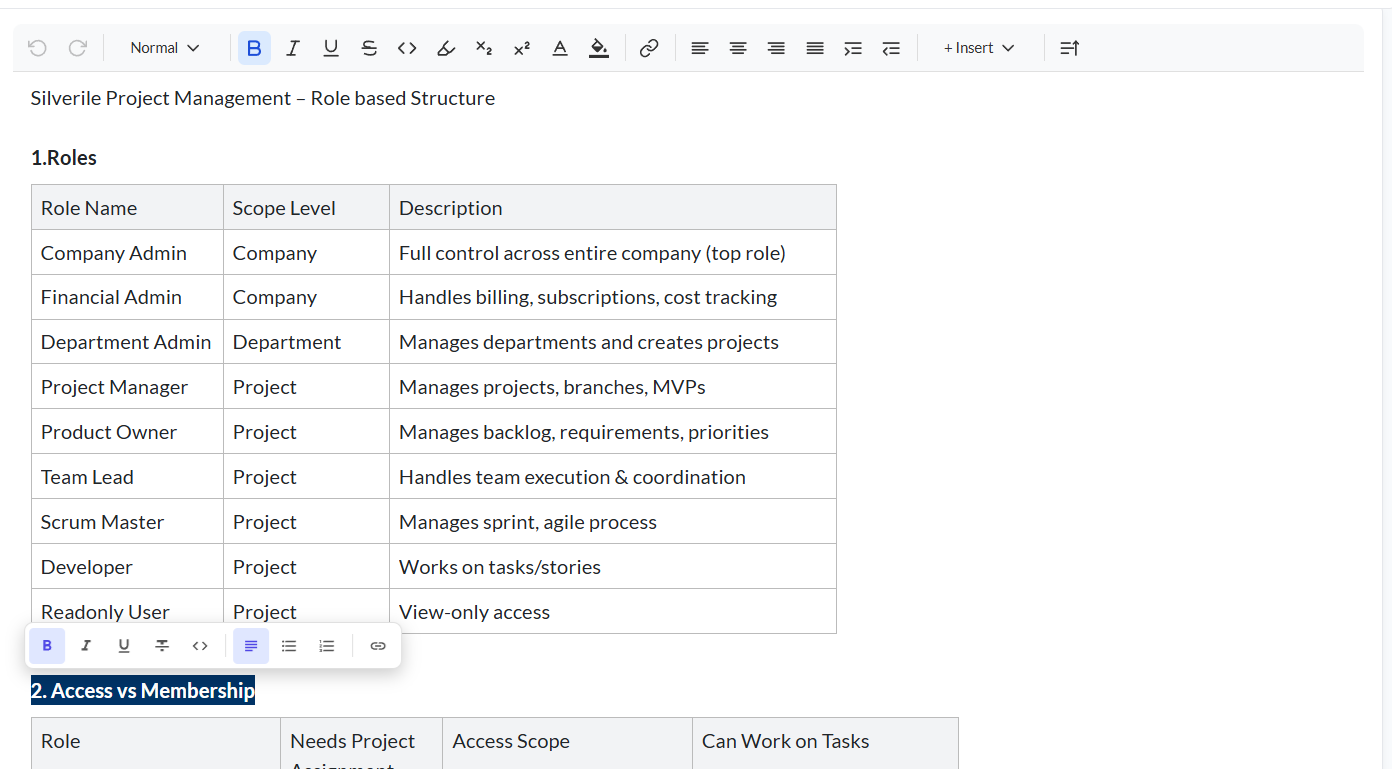
Once in edit mode, click anywhere in the content area and start typing. The editor supports standard keyboard shortcuts and a formatting toolbar:
- Headings — select text and choose H1 / H2 / H3 from the toolbar, or type
#/##/###and press Space - Bold — Ctrl+B (Cmd+B on Mac) or the B button in the toolbar
- Italic — Ctrl+I (Cmd+I on Mac) or the I button
- Bullet list — click the list icon or type
-then Space at the start of a line - Numbered list — click the ordered list icon or type
1.then Space - Undo / Redo — Ctrl+Z / Ctrl+Y (Cmd+Z / Cmd+Y on Mac)
- Links — select text and click the link icon, then enter the URL
Saving changes
Cancelling edits
Click the Cancel (✕) icon to exit edit mode without saving. Any unsaved changes are discarded. The document reverts to the last saved version immediately.
When documents are locked
The edit icon is only active when the document is in Draft. Other statuses lock the content to prevent accidental changes during review or after publication.
| Status | Editable? |
|---|---|
| 🟡 Draft | Yes — by the document owner and project admins |
| 🔵 In Review | Locked — editing is disabled while under review |
| 🟢 Published | Locked — move back to Draft to make changes |
| ⬜ Archived | Locked — move back to Draft to reopen |
To edit a Published or Archived document, use the status transition link in the document header to move it back to Draft first. See the Approval Workflow guide for details.
Document metadata
Below the document title in the content area, a metadata bar shows who created the document and when, and who last updated it. This information updates automatically each time the document is saved.
Troubleshooting
The Edit (pencil) icon is not visible
The edit icon appears only when you have edit permission and the document is in Draft status. If the document is In Review, Published, or Archived, you must first transition it back to Draft using the status transition links in the document header.
I clicked Save but my changes are not showing
Wait a moment for the save to complete — a loading indicator appears on the Save button. If the content still does not update after saving, refresh the page. The saved version will load.
I get a "stale write conflict" error when saving
Another user saved a newer version of the document while you were editing. Refresh the page to load the latest version, then re-apply your changes on top of it.
My formatting is lost after saving
The editor saves rich-text content including bold, italic, headings, and lists. If formatting is missing after a reload, check whether the content was pasted from an external source — plain-text paste strips formatting. Use the editor's paste-and-match-style option or retype the formatting.
I cannot edit the document even though it is in Draft
If the document belongs to another user and you are not a Product Owner or Project Manager, you may not have edit access. Ask a project admin to give you the appropriate role, or ask the document owner to make the change.